Your cakes have no barcode, and they do not need one. List them with a photo and a price, then share your page or your QR.
Home baking is sold over messages today: a photo here, a price there, and by the third question you cannot remember what you quoted to whom.
A page with your products answers all of that on its own: what there is, what it costs and how long it takes. This guide builds it from scratch, with real screenshots.

1 Your store already exists
Signing up created it. There is no business to register and no plan to pick: go to My Stores and give it the name people know you by.
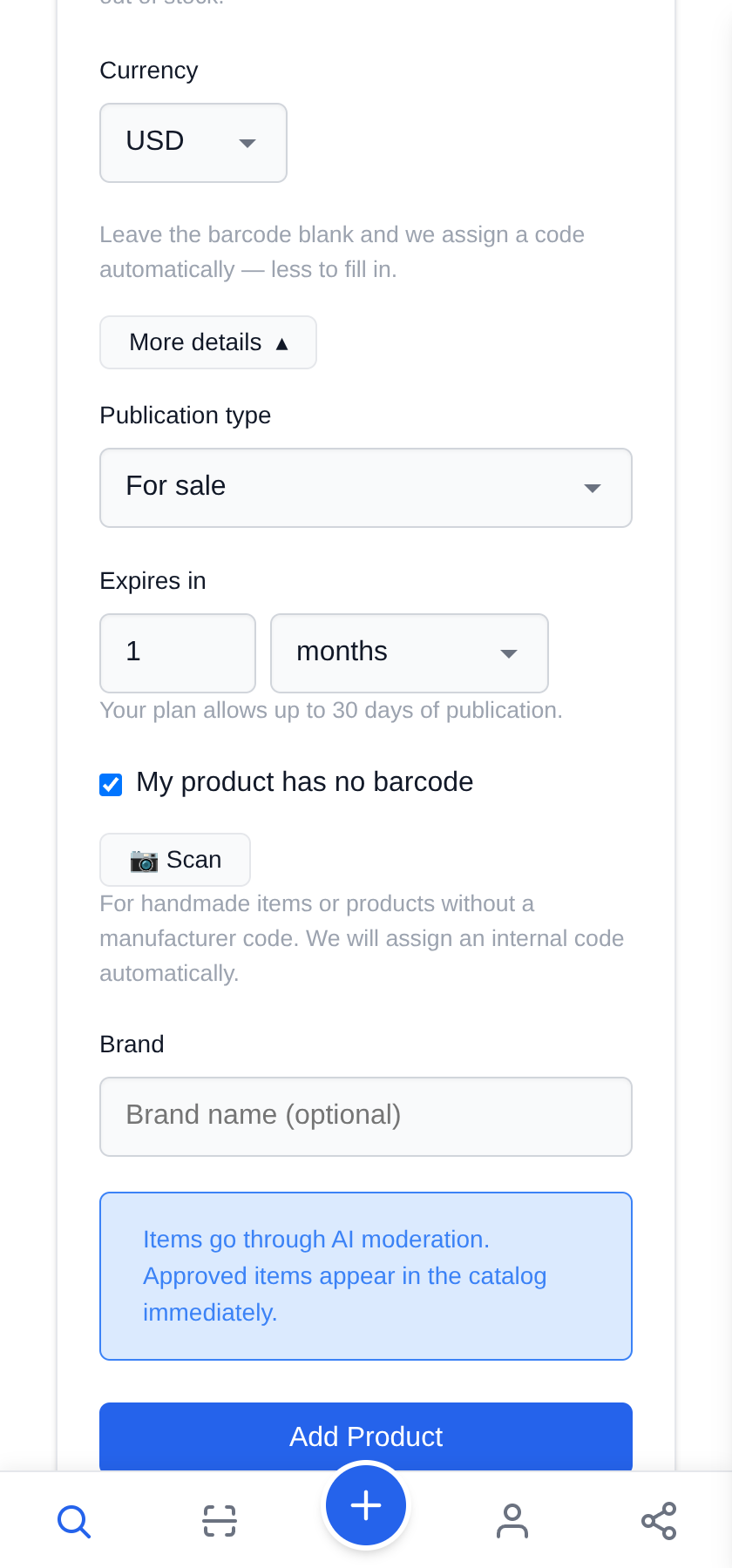
2 No barcode: tick the box
Handmade goods carry no manufacturer code, and the form knows it. Under More details, tick My product has no barcode and an internal code is assigned for you.
It stops asking and gets out of the way. That is the only difference between listing a batch of alfajores and listing a tin of tuna.
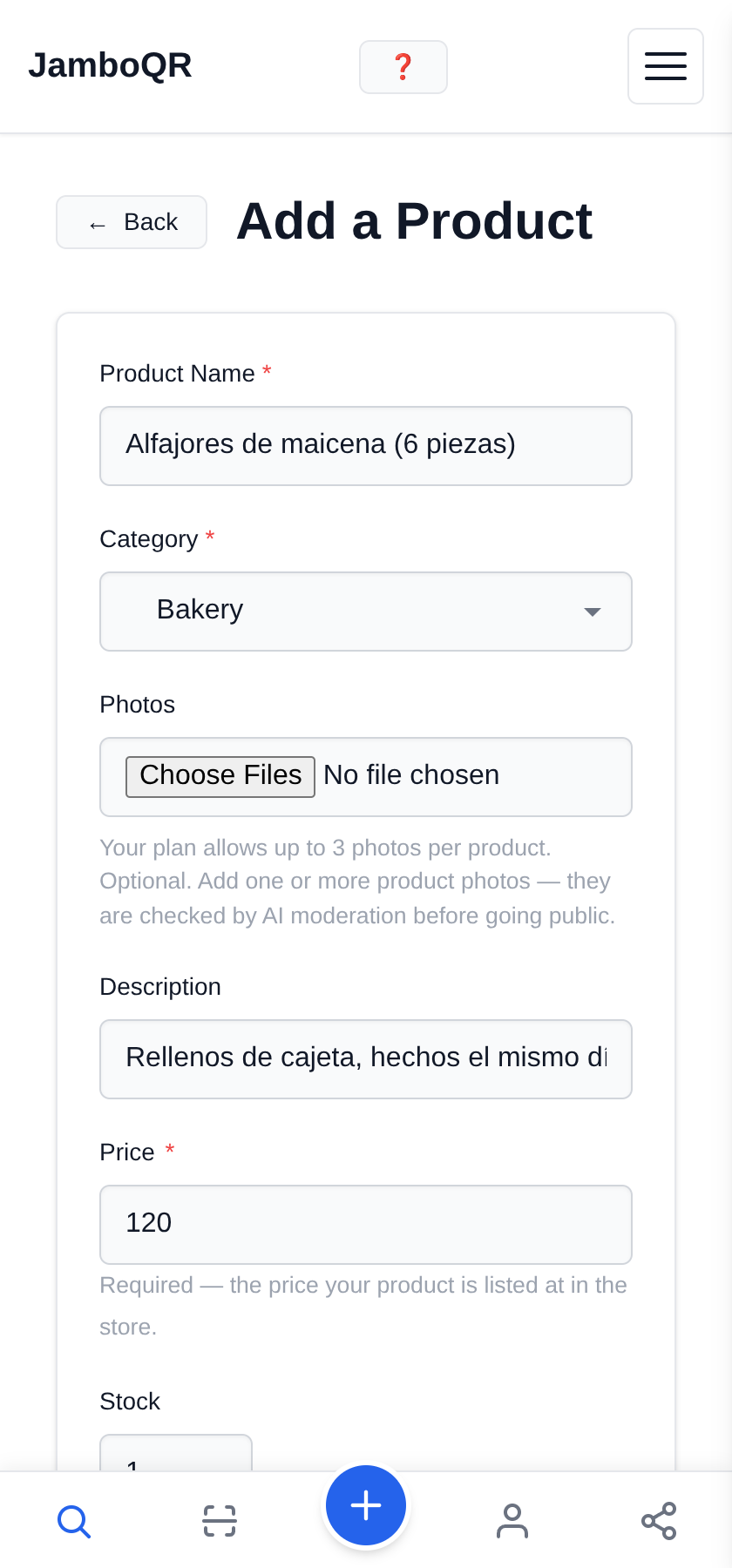
3 The photo, the name and the price
In baking the photo is half the sale, so add it. The free plan takes up to 3 photos per product.
And say in the name what the buyer takes home: "Cornstarch alfajores (6 pieces)", "Butter cookies (dozen)". The price is required — without it the product is not listed.
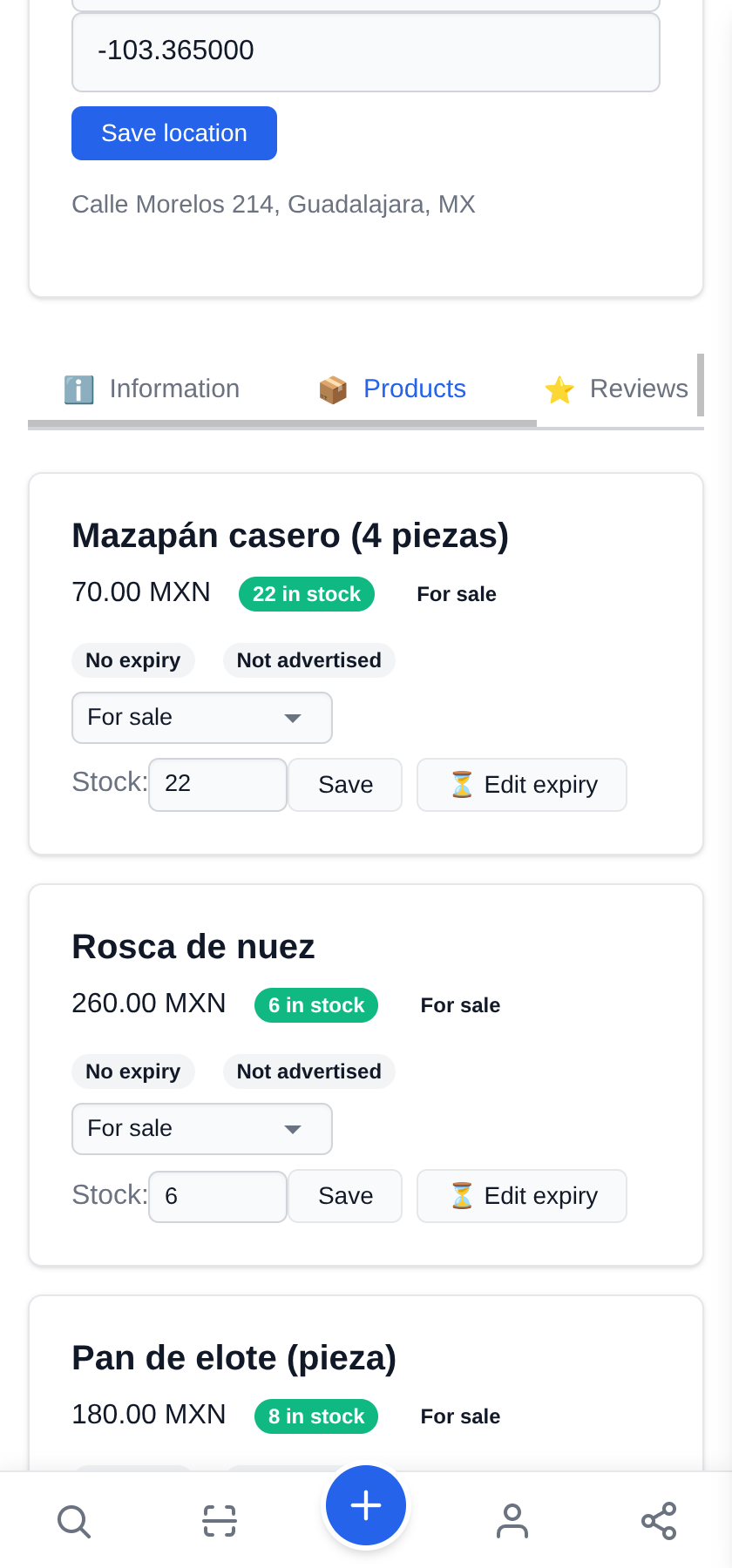
4 One month per publication, renewable
On the free plan a publication lives for a month. It does not vanish quietly: on your store's Products tab every row has ⏳ Edit expiry to extend it, or Renew (1 month) once it has lapsed.
The Stock box is right there too: set it to 0 the day you stop taking orders and the product shows as out of stock.
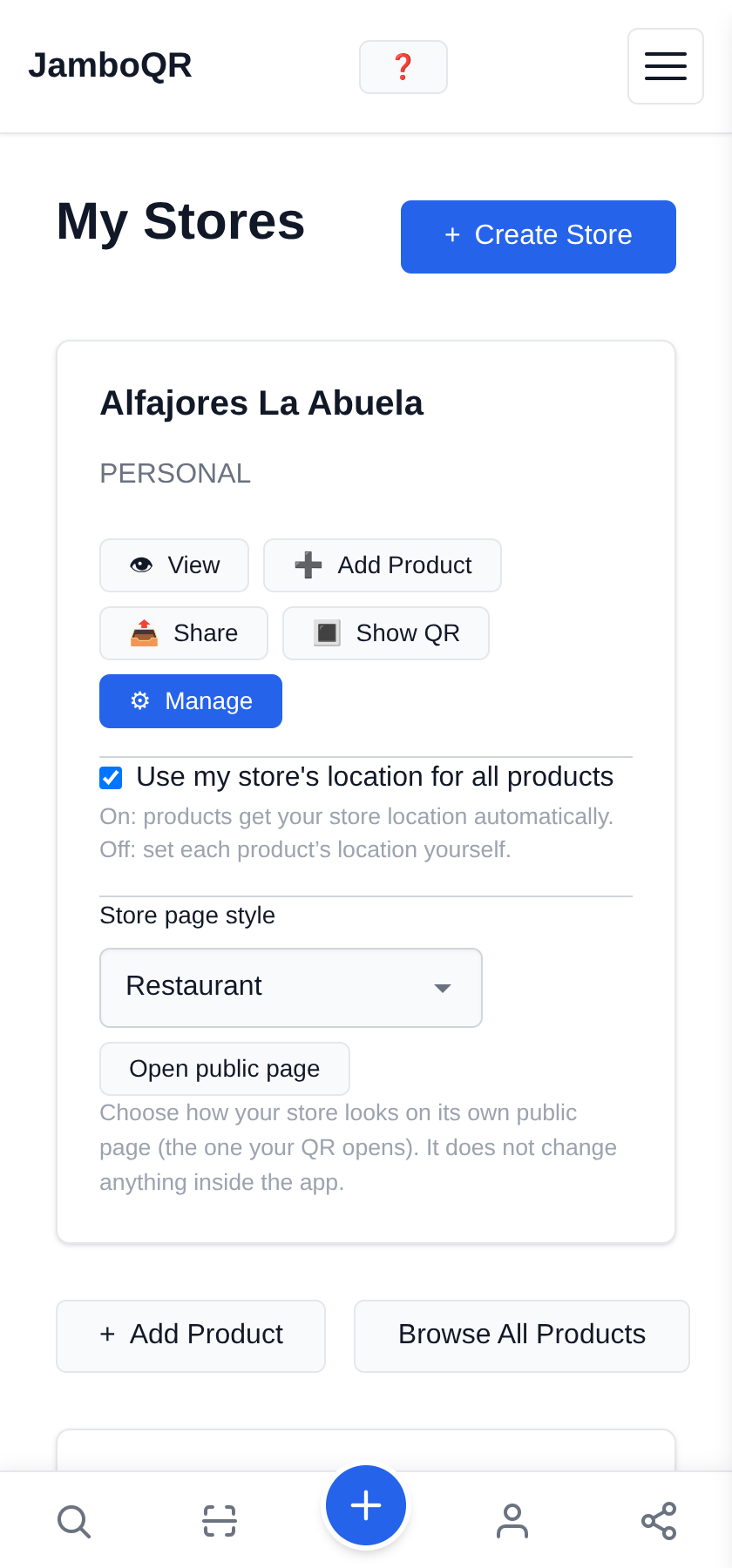
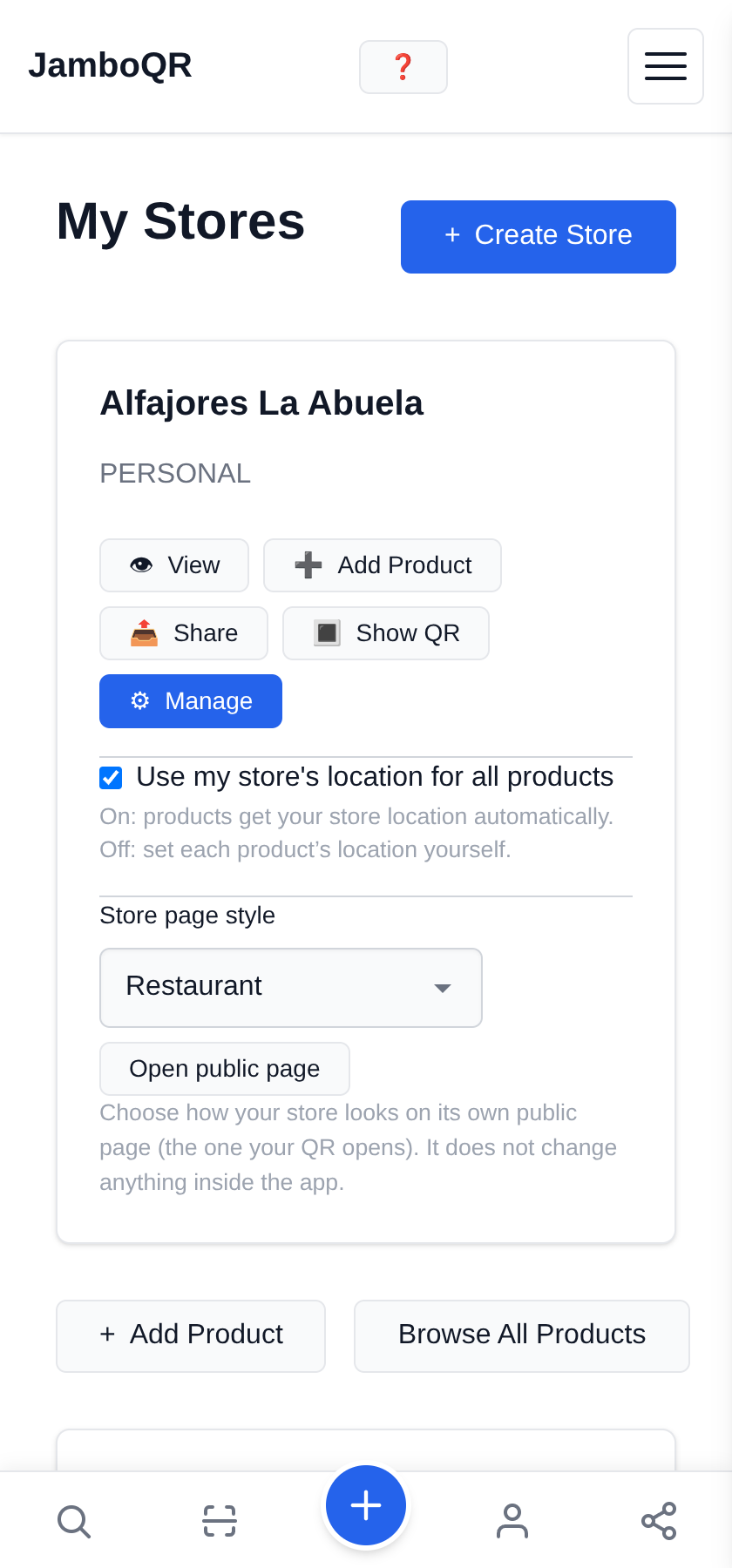
5 Pick the Restaurant style (even though you are not one)
It sounds odd, and it is deliberate: Restaurant is today the only style that shows product photos on your public page, and it groups them into sections as well.
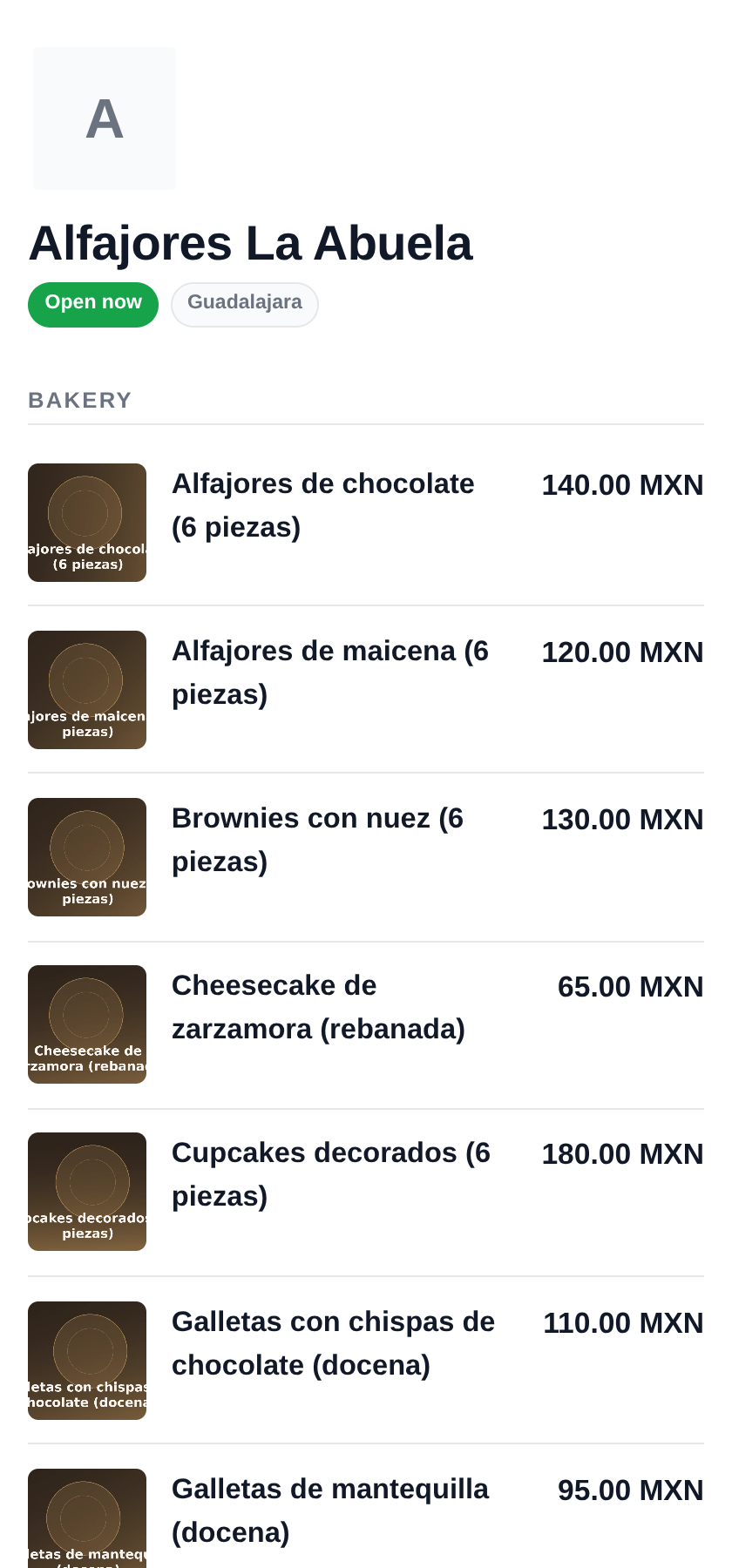
With it your cakes come out with their photo, their name and the price on the right. It is a dropdown on your store; inside the app nothing changes.
6 Your QR for the counter and the boxes
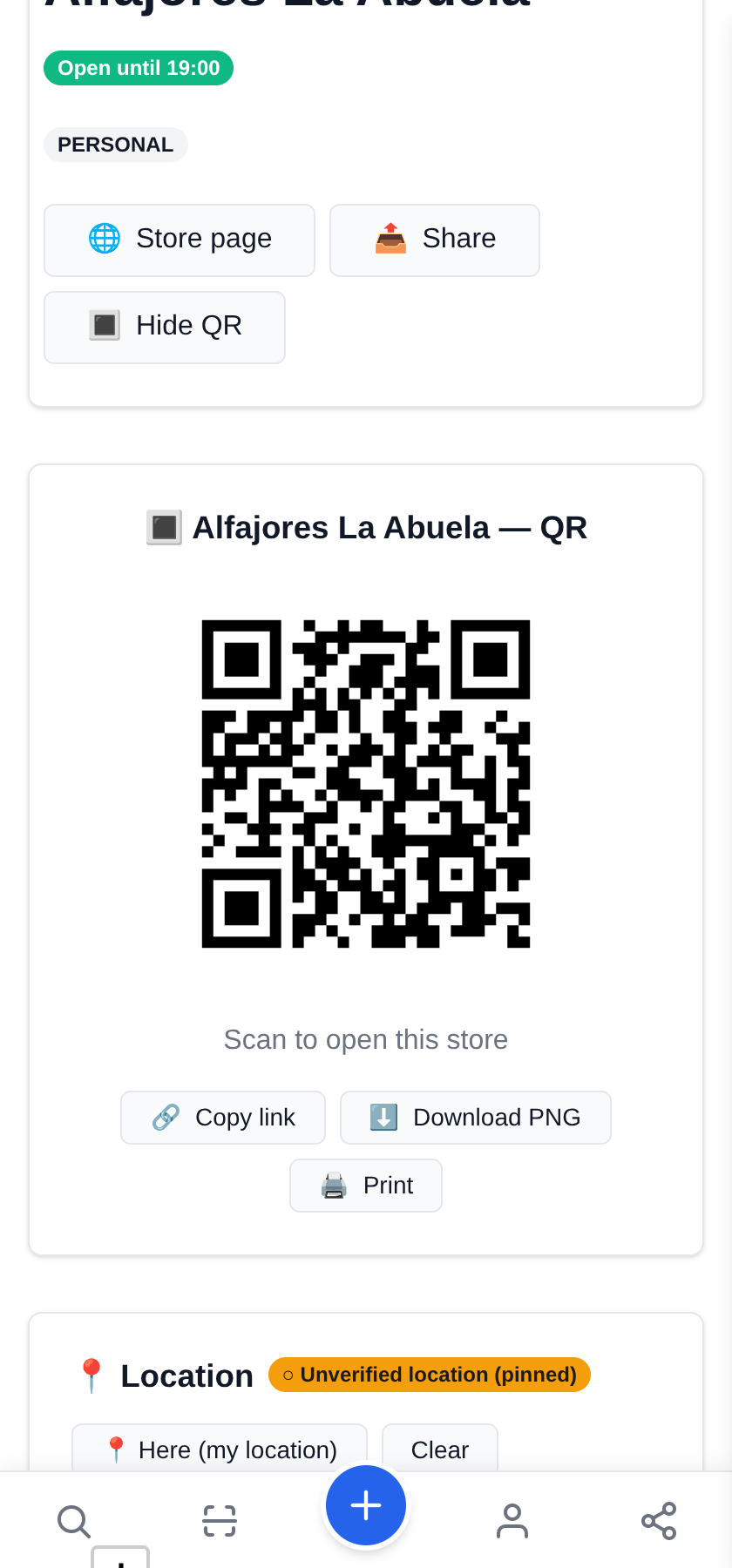
Download it and print it: on the box label, on a card inside the bag, or stuck to the door.
Someone who was given one of your cakes scans it and lands straight on your prices. It does not expire: change the whole catalogue tomorrow and the same label still works.
7 This is what your customer sees
Your page, on the phone of whoever opens it, with nothing to install. On the free plan the first ten photos are shown and the rest of the list comes out as text, with prices.
Use the description for what people always ask: how far in advance cakes must be ordered, and whether you deliver or they collect.
What to know
- It is free. No thirty-day trial, no card.
- A handmade product needs no barcode: tick the box and an internal code is assigned.
- Free plan: up to 50 products, 3 photos each, and the first 10 photos on your public page. The rest of the list shows as text.
- Each publication lasts a month and is renewed from your inventory, in two taps.
- Change a price and the already-printed QR shows the new one. Nothing gets reprinted.
- Every product and every photo goes through an automatic review before going live. Meanwhile you see them, marked as pending.

✈️ Telegram · @JamboQR · 𝕏 @jamboqrmx · Facebook · JamboQR · Instagram · @jamboqr