Buen Fin lasts a few days and brings thousands of "discounts". A group sorts the genuinely cheap from the merely loud much faster than one person.
During Buen Fin — Mexico's November sales weekend — everybody is comparing prices: in the family chat, the office chat, the neighbours' chat. The trouble is that a stray photo in a chat does not say where the deal is, or whether it is still there when you arrive.
With JamboQR you set up a deals club: a shared store where every member posts what they found, with the price and the exact place. The rest see it on a map, compare the same product in two stores and, once they are there, report whether the deal is still on or gone. This guide sets the club up in ten minutes; the one in the screenshots is Cazadores del Buen Fin, in Mérida.

1 Create the club: a shared store
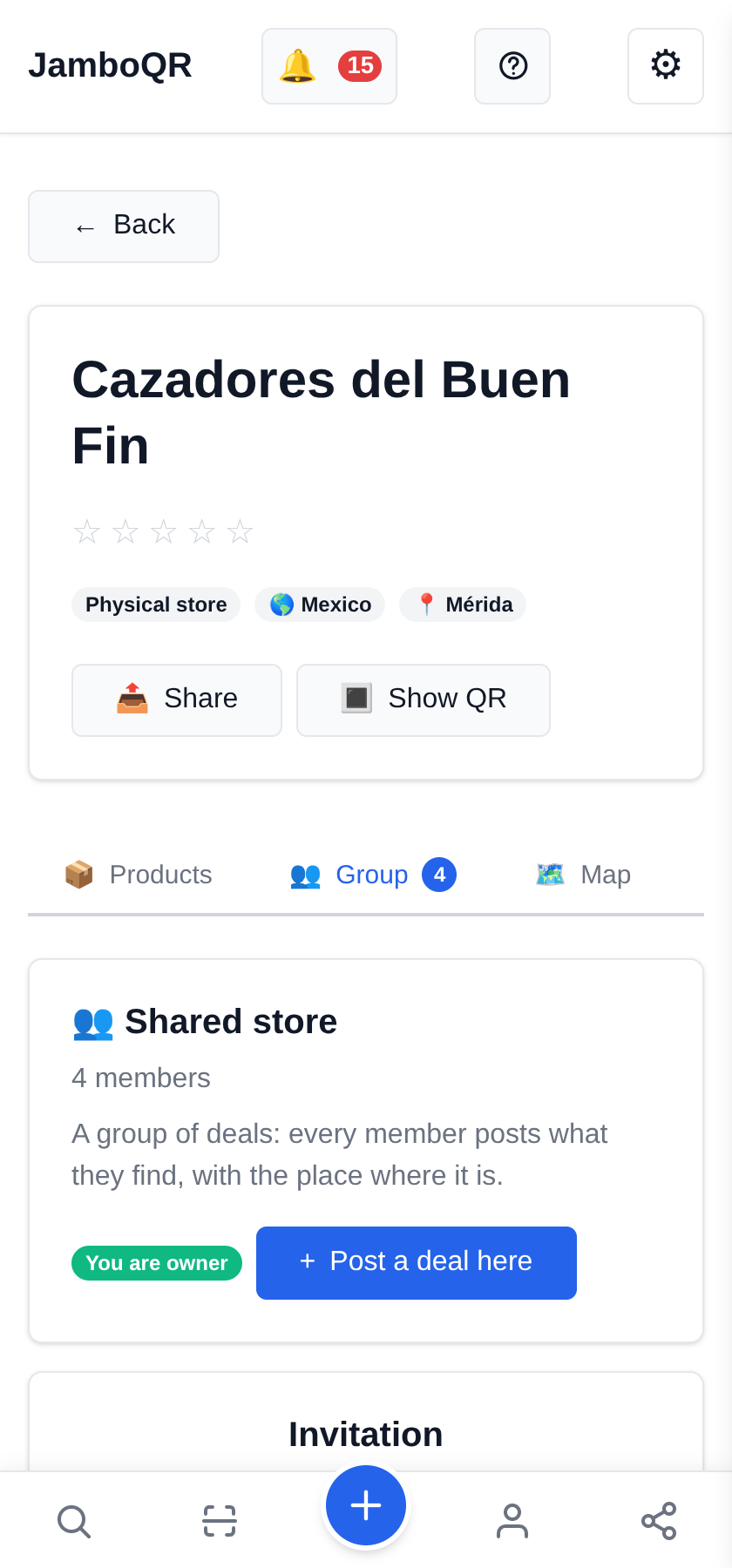
Under My Stores, Create Store and give the club a name. Then, in Manage, switch on Shared store (a group of deals). The guide "Start a deals club with your neighbours", in this same help, walks through it step by step.
From then on the store has a Group tab with a Post a deal here button for every member. The free plan already includes one store besides your personal one, so the club costs nothing.
2 Invite your people with a QR
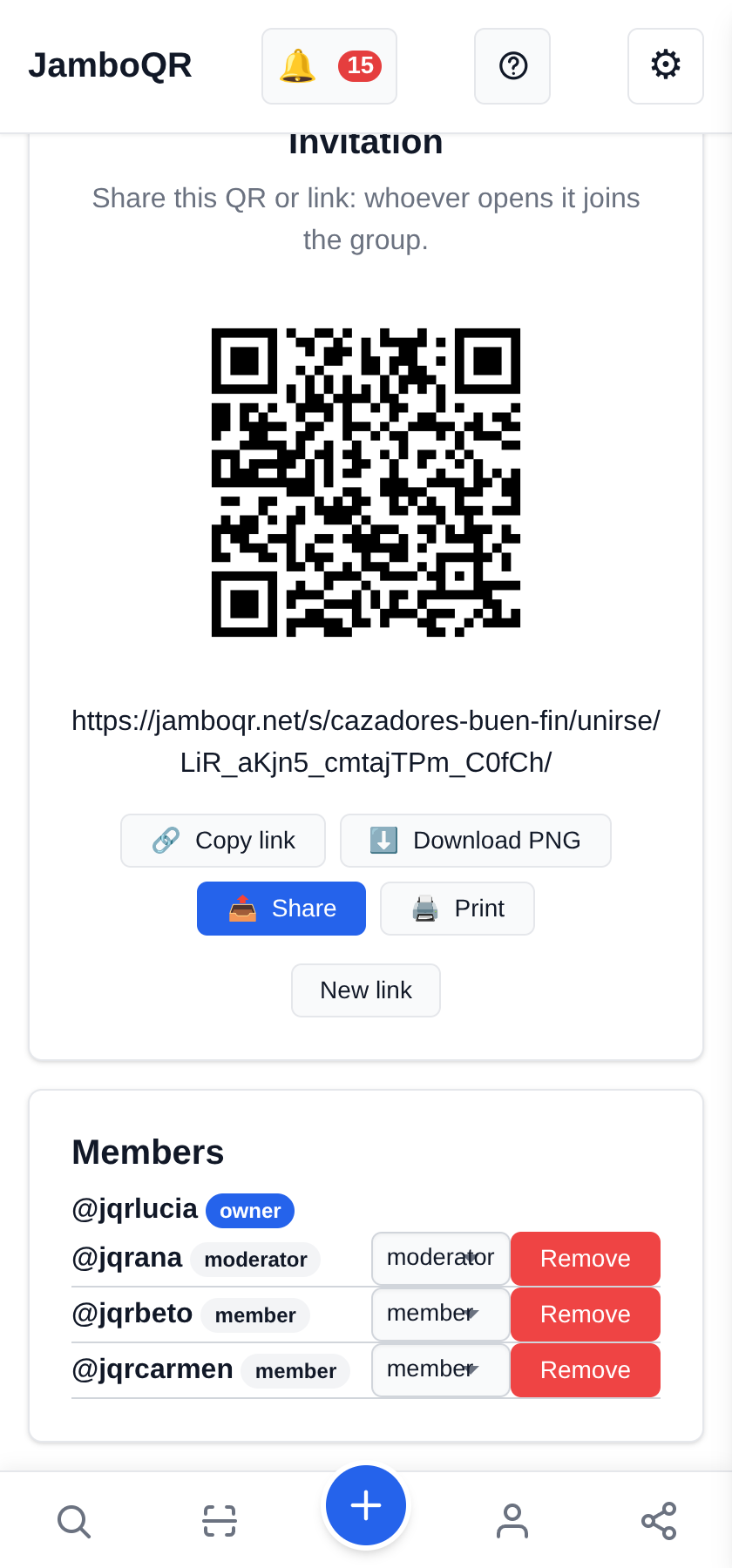
Under Invitation you get the club's QR and its link. Copy link to send it to the WhatsApp group; Print if you want it on the office wall or on the door of the corner shop.
Whoever opens it joins straight away as a member. If the link ended up somewhere it should not, New link cancels the old one.
3 Spotted a deal? Post it with its place
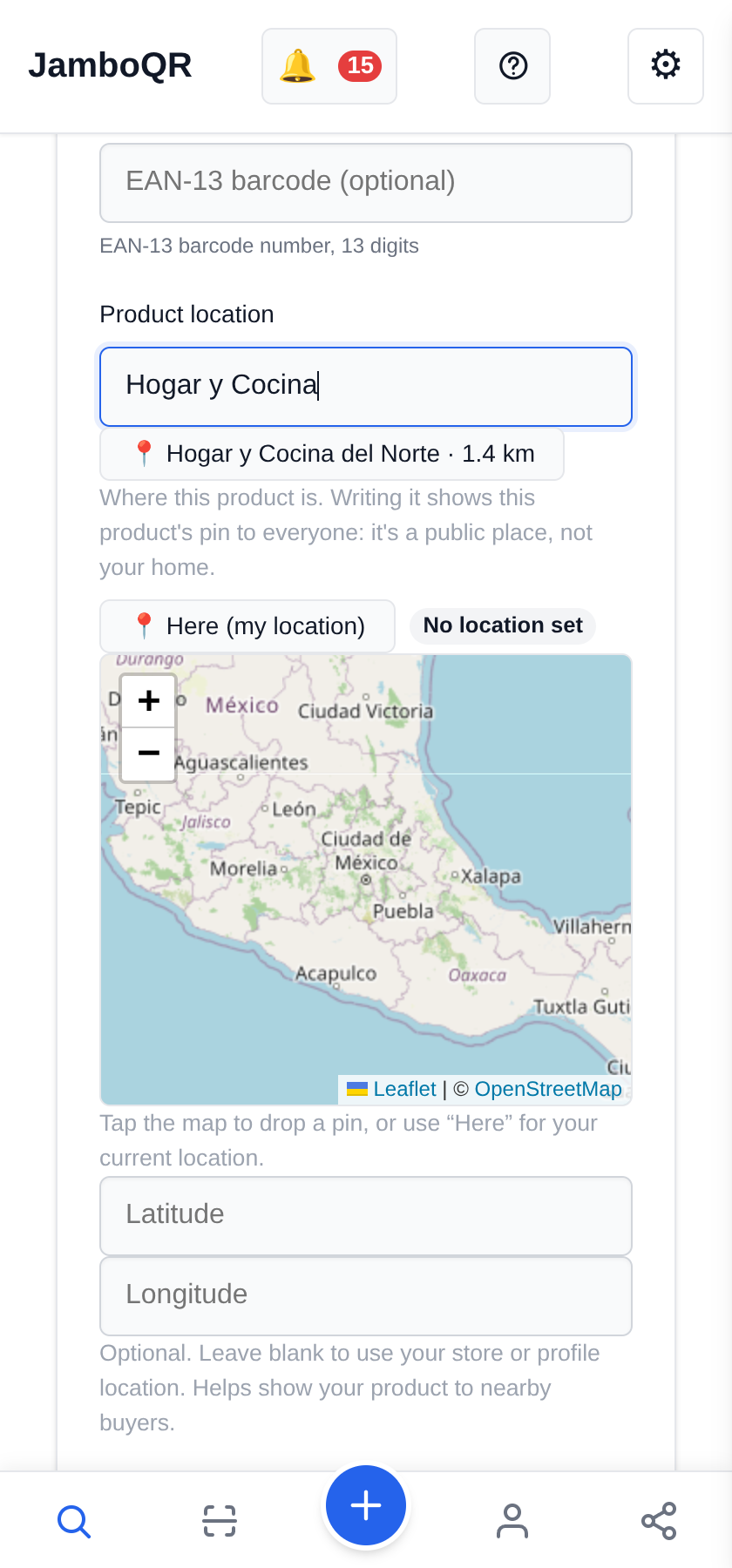
Post a deal here, the product name, the price and, under Product location, the store where you saw it. As you type, the places other members already used nearby appear: tapping one copies its name and its pin, so there are not five "Electrónica Paseo" spelled five ways.
A photo of the shelf price helps a lot: it is the proof that the deal exists.

4 The same product in two stores
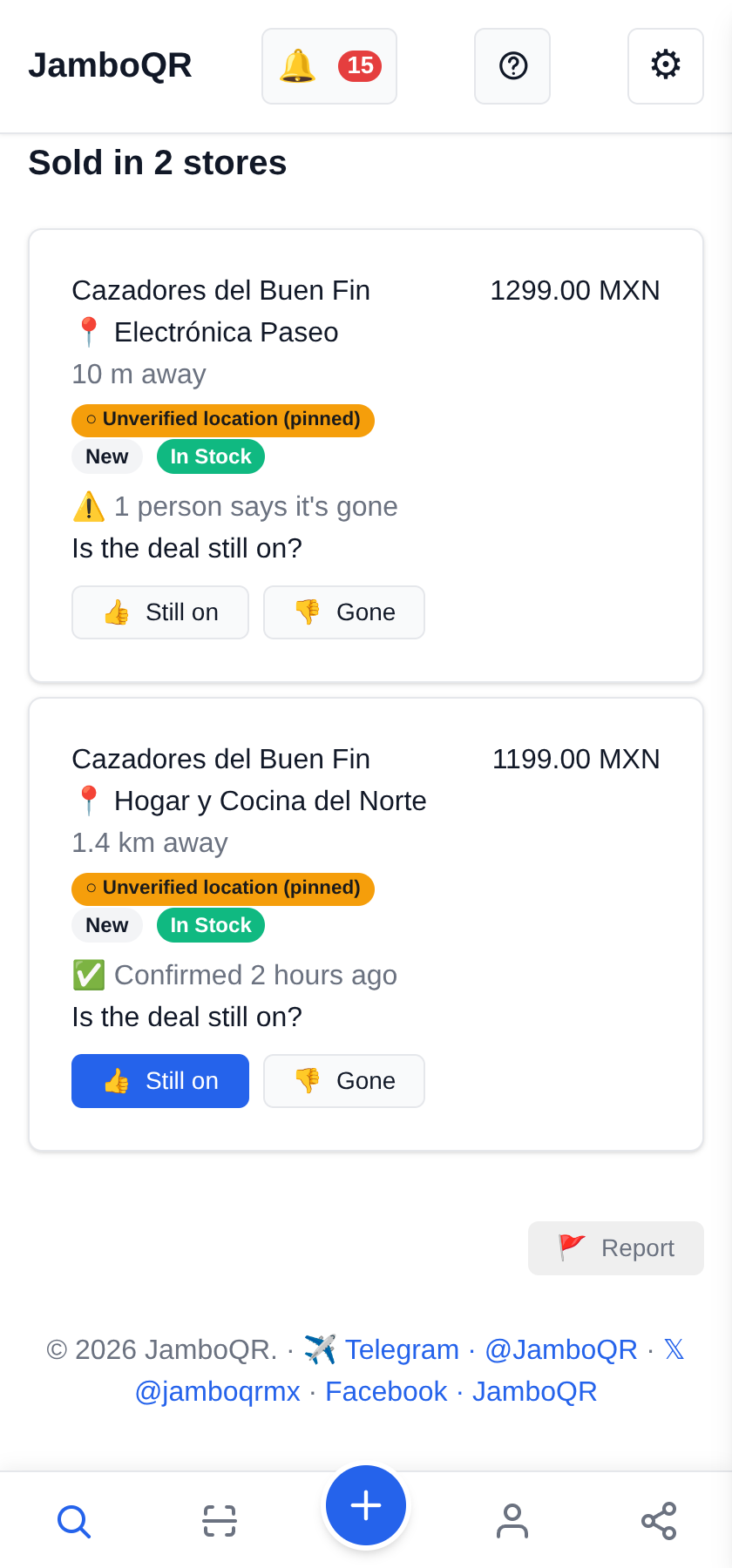
The air fryer is $1,299 in one store and $1,199 in another. The club holds both, each with its own place, and the product page shows them side by side under Where to Buy, with the distance from where you are.
Under each one there is Is the deal still on?: if someone passing by voted Gone, you know before you go.
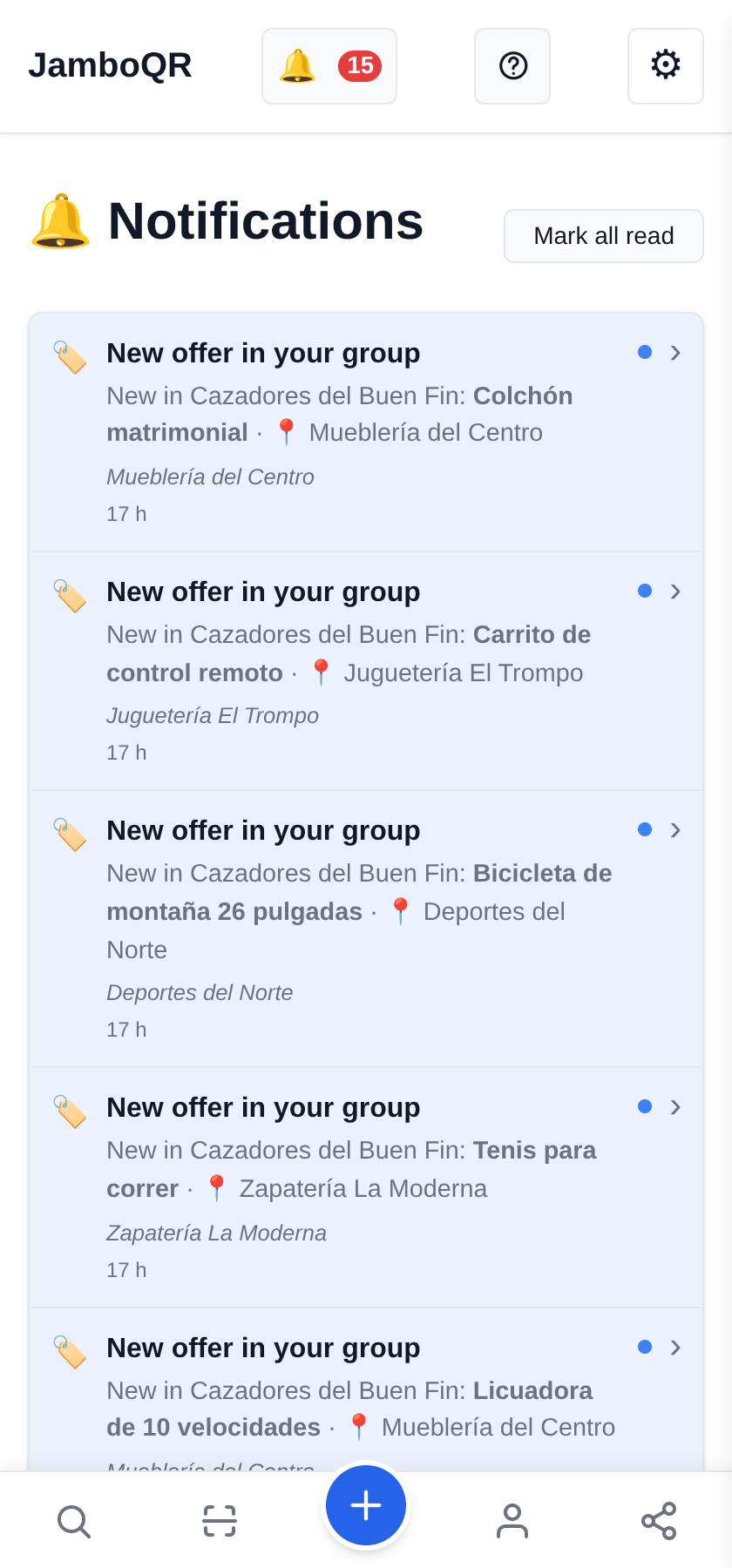
5 The bell tells you about every new deal
When someone in the club posts, everyone else gets a notice on the 🔔 with the product and the place. Tapping it opens the deal.
During Buen Fin this is what makes the club work: you do not have to keep checking — you get told.
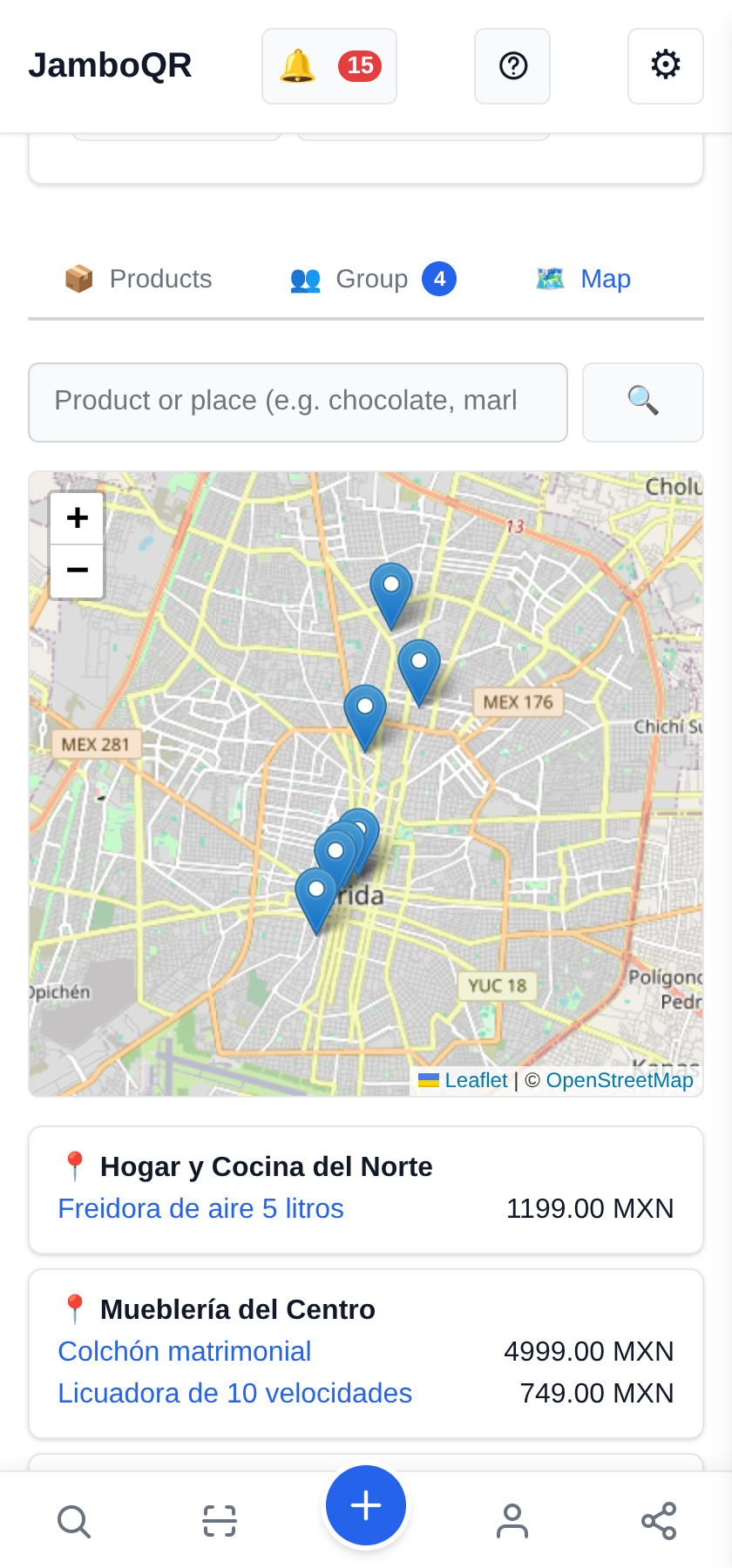
6 The club's map
The store's Map tab puts every deal at its store. Underneath, the list by place: what each one has and at what price.
Use it to plan Saturday's route: three deals in the same mall are worth the trip; a single one across town, maybe not.
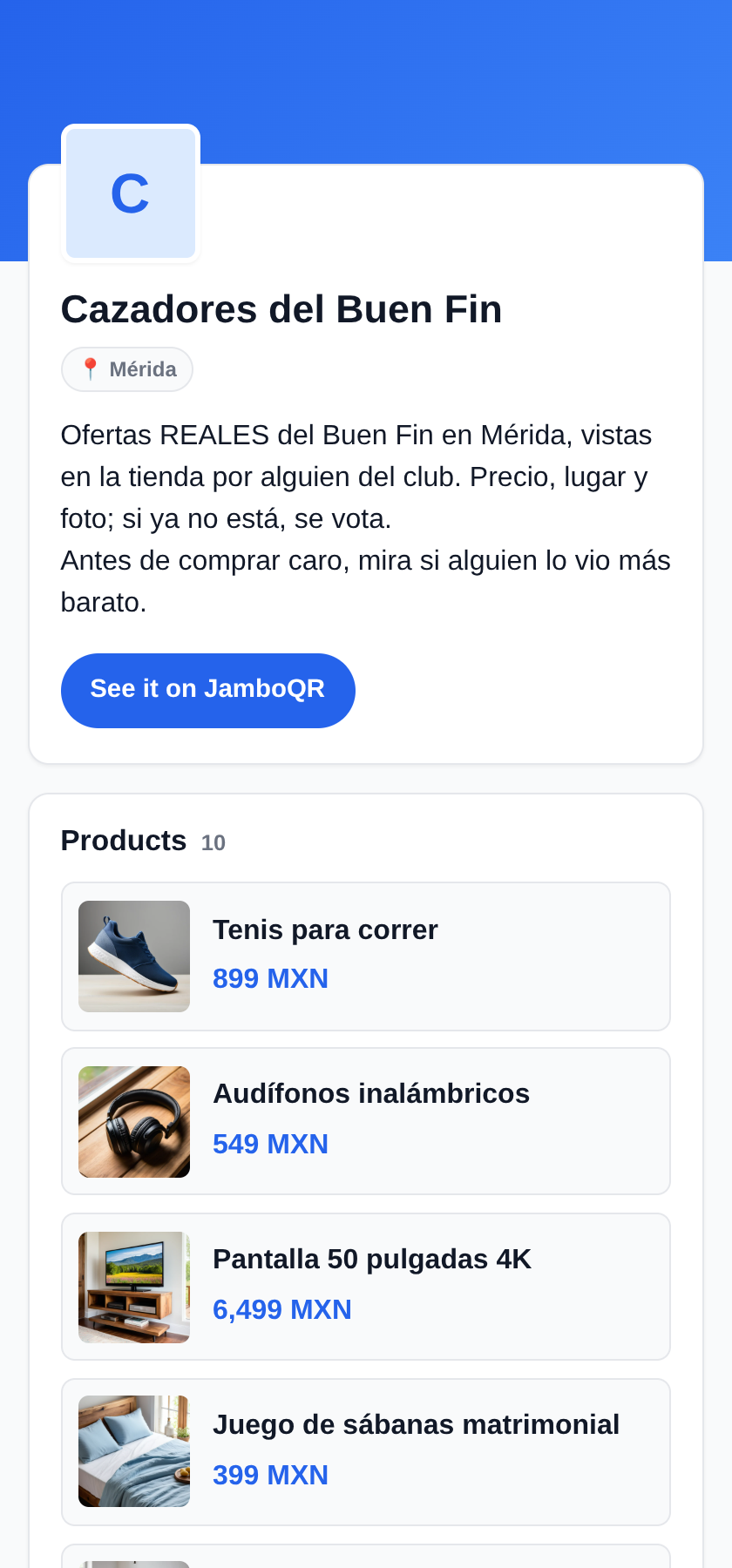
7 And the club's public page
The club has its own page, which opens without installing anything: the deals with photo and price. It is the one to share on Facebook or Telegram so more people join.
Tap the screenshot to open this guide's example club as it is.
What to know
- Club deals belong to whoever posts them: each member edits and withdraws their own; the owner and the moderators can remove the ones that are not real.
- Voting Still on or Gone only works at the store (within 500 m). That way the vote comes from someone who saw it, not from someone with an opinion.
- The same product can be in several stores of the club, once per place.
- The stores on the map are public places. Nobody's home appears on the map.
- After Buen Fin the club carries on: Christmas, Three Kings, back to school.
- It is free: the free plan includes your personal store and one more store, which can be the club.

✈️ Telegram · @JamboQR · 𝕏 @jamboqrmx · Facebook · JamboQR · Instagram · @jamboqr