Open the map and see the deals others posted around where you are, with the store, the price and the distance.
You do not need to be in any club to benefit from what they post: the deals map shows anyone the deals that have a public place, sorted by distance.
And because a map with people on it is a sensitive thing, this guide also explains what shows and what does not: the rule is that only public places show exactly.
1 Open the deals map
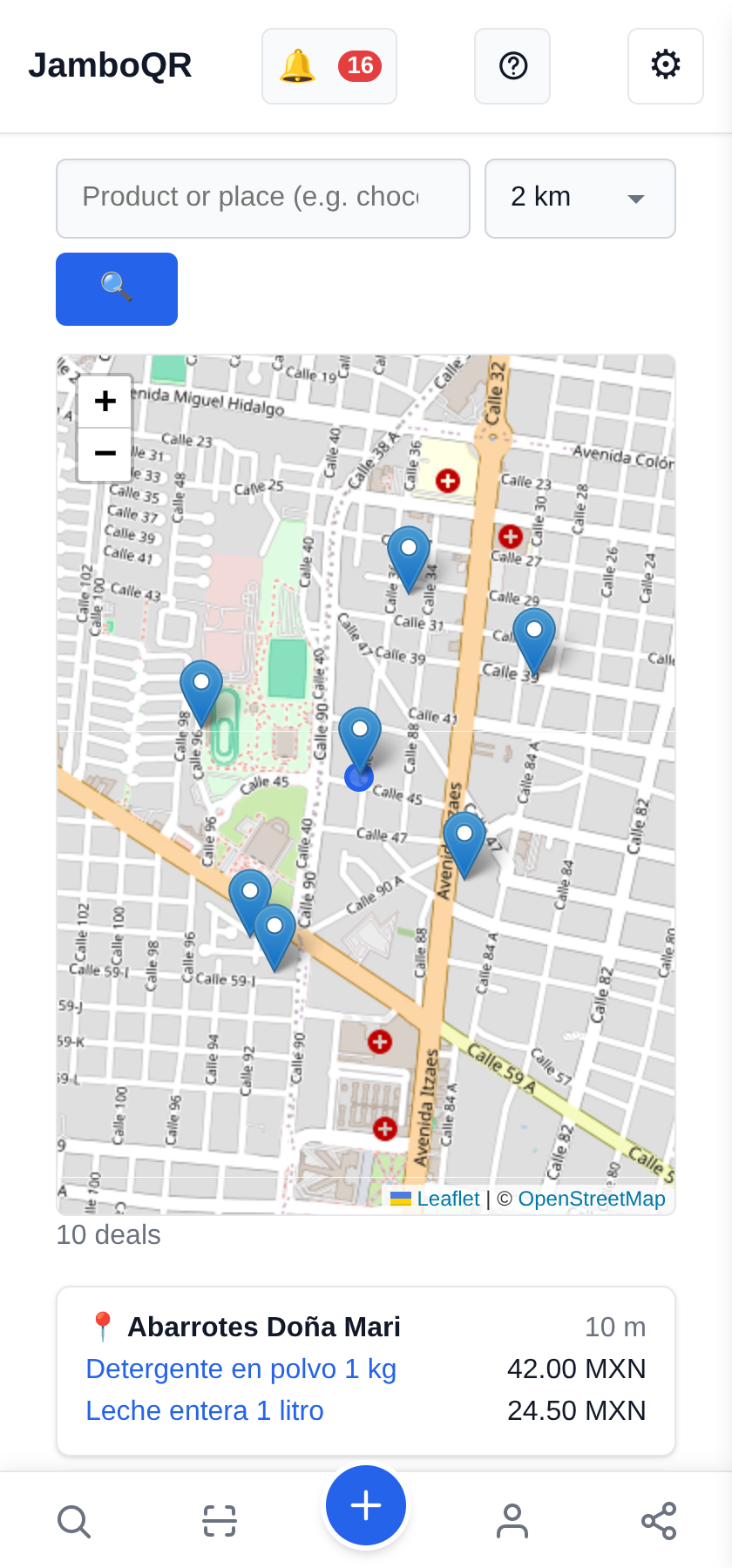
In the menu, Deals map. The first time, the phone asks whether it may use your location: it is needed to know what is nearby. The blue dot is you; each pin is a place with deals.
At the top you pick the radius: 2, 5, 10, 25 or 50 km. In a neighbourhood, 2 km is already a lot of stores.
2 Underneath, the list: place, distance and price
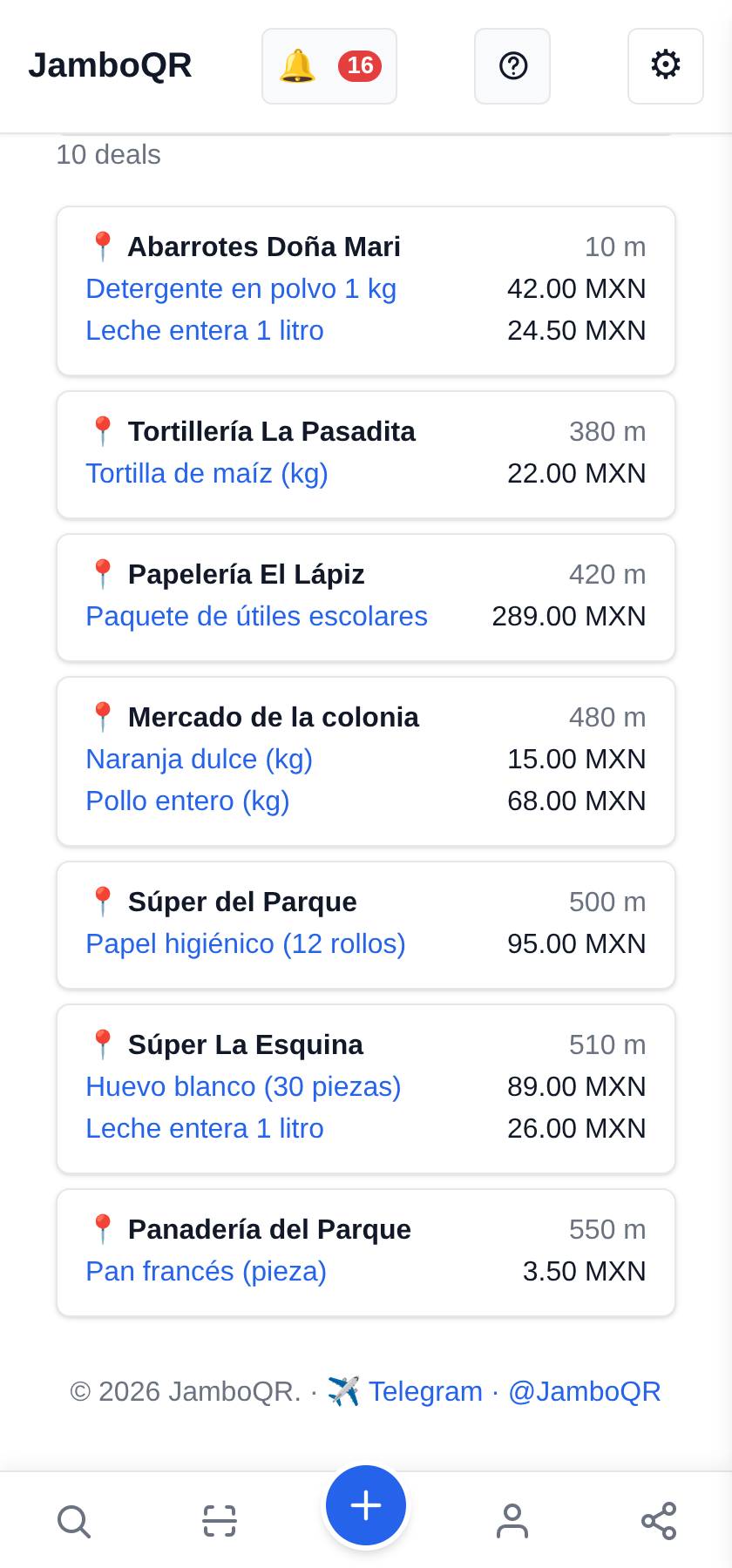
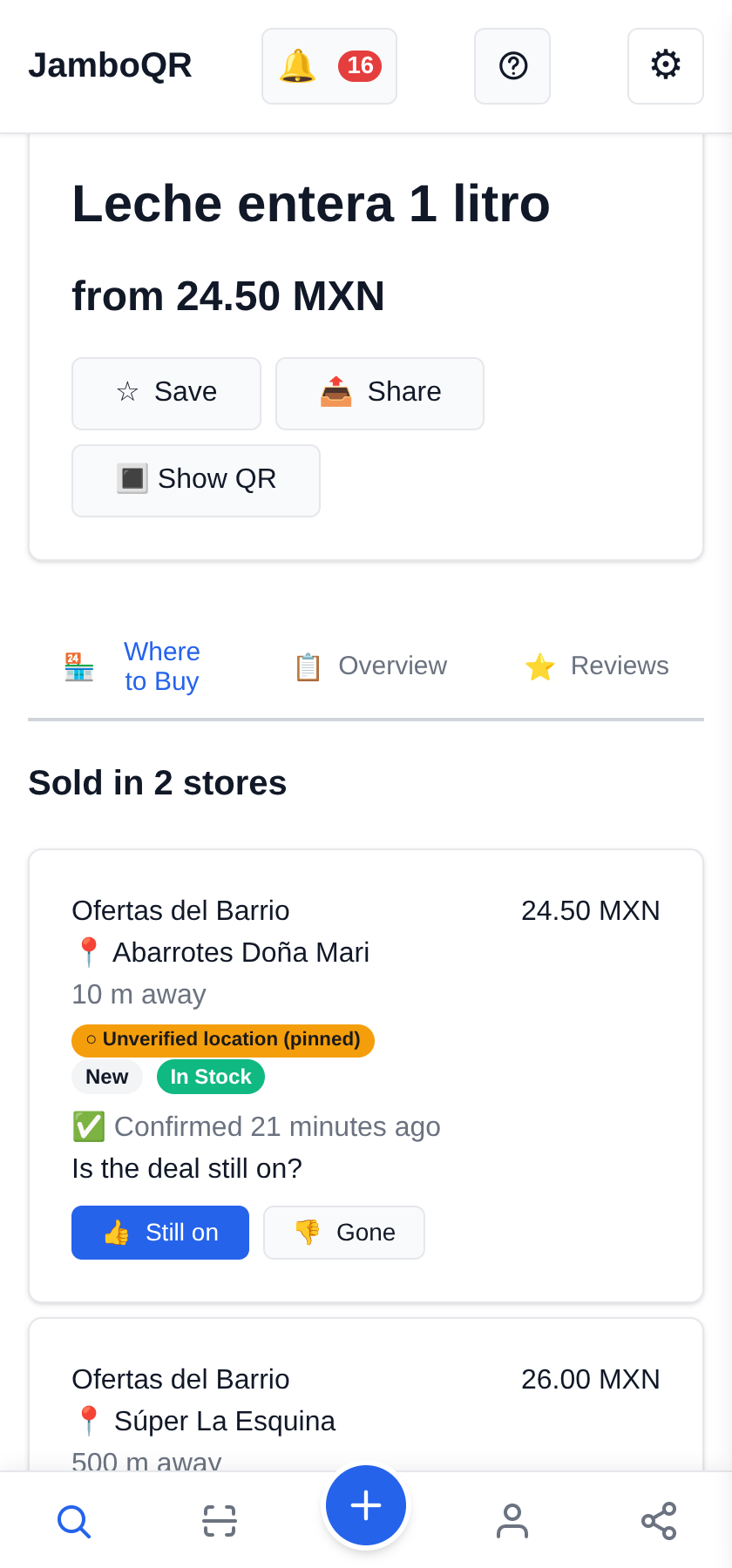
Below the map are the same places as a list, nearest first: "Abarrotes Doña Mari, 10 m", with what is there and its price. Tapping a product opens its page.
Deals at the same place share one pin, so the map does not fill up with dots on top of each other.

3 Search for a product or a place
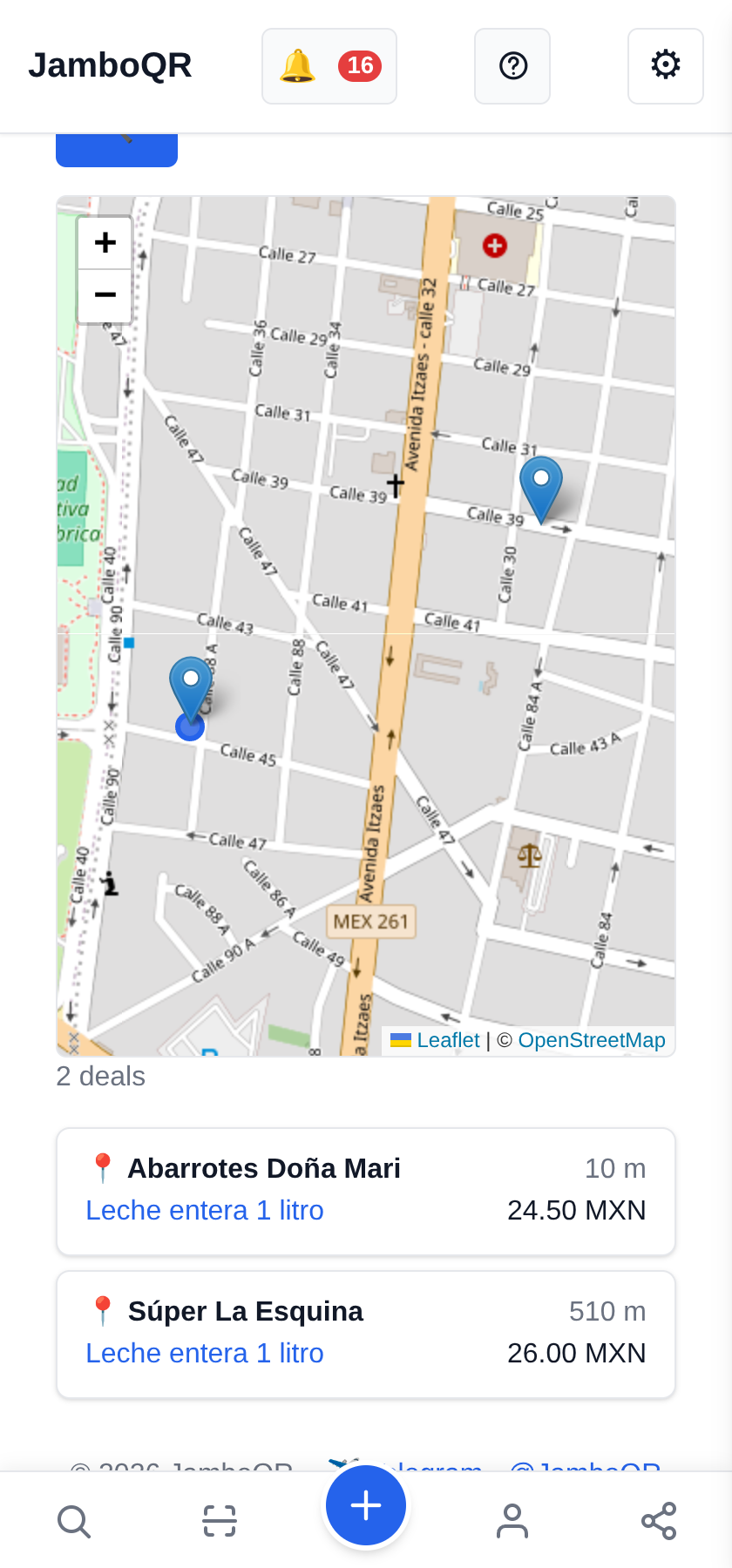
Type "leche" (milk) and the map keeps only the stores that have it, each with its price. A place name works too: "Mercado" shows everything at the market.
It is the quick way to compare before leaving home.
4 The product page: where it is and whether it is still on
On the product page, Where to Buy lists every deal with its store, the distance and Is the deal still on?. "Confirmed 6 minutes ago" means someone was there and voted Still on.
The Unverified location (pinned) label says the pin was placed on the map by someone, not taken from the GPS of a person in the store. It is not an error: it is honesty about where the point came from.
How your location is protected
- An exact pin only shows when it is a public place: a deal with the name of a store or market written in, or a store that chose to show its address.
- Many personal stores are someone's home. If the owner did not make the address public, all that shows is the city, the state and the country.
- And its distance is rounded to 5 km ("< 5 km", "~10 km"): an exact distance, seen from two or three spots, would give the point away.
- Your own location is not kept on your account and is shown to nobody: it is used in the moment to sort the map by distance.
- Voting whether a deal is still on does require being there (within 500 m), and the phone checks that at the moment of the vote.
- Whoever posts a deal with a place knows it: the form warns that everyone sees that pin and that it is a public place, not their home.
✈️ Telegram · @JamboQR · 𝕏 @jamboqrmx · Facebook · JamboQR · Instagram · @jamboqr