Your profile is the front door: one page with your name, your links and what you sell. One link, one QR, and nobody has to ask where anything is.
Someone who finds you at a stall or on a menu has no idea where else to find you, and someone who follows your channel has no idea what you sell. Your public profile joins the two halves.
It lives at jamboqr.net/@yourname, it is shared with a link or with its own QR, and whoever opens it sees it in their language. This guide builds it in five minutes.
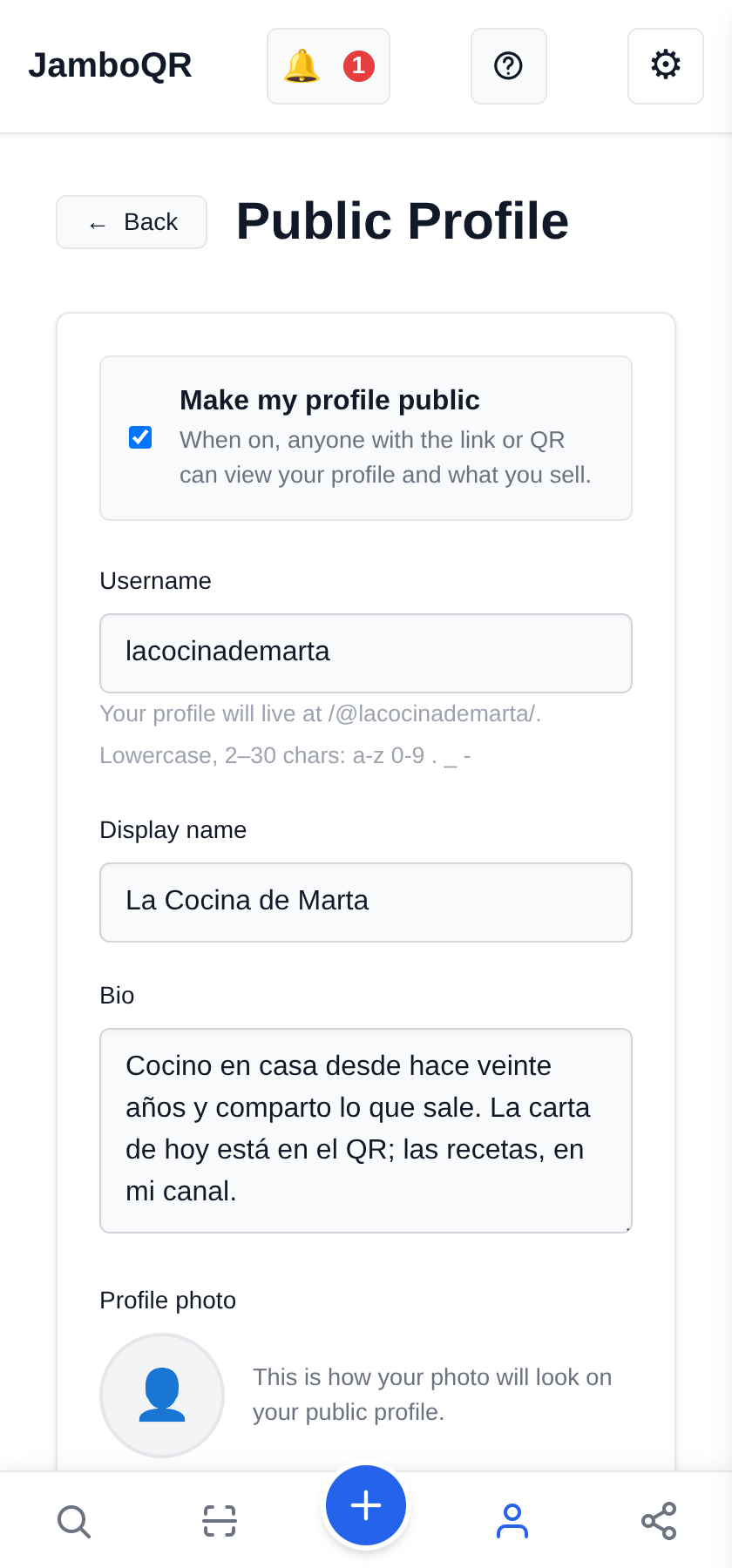
1 Open Public Profile and pick your name
Public Profile is where your Username lives — the part after the at sign: `/@lacocinademarta/` — along with your Display name and your Bio.
The username is your address, so make it short and make it the name people know you by: it is what you will say out loud, and what someone will mistype if it is long.
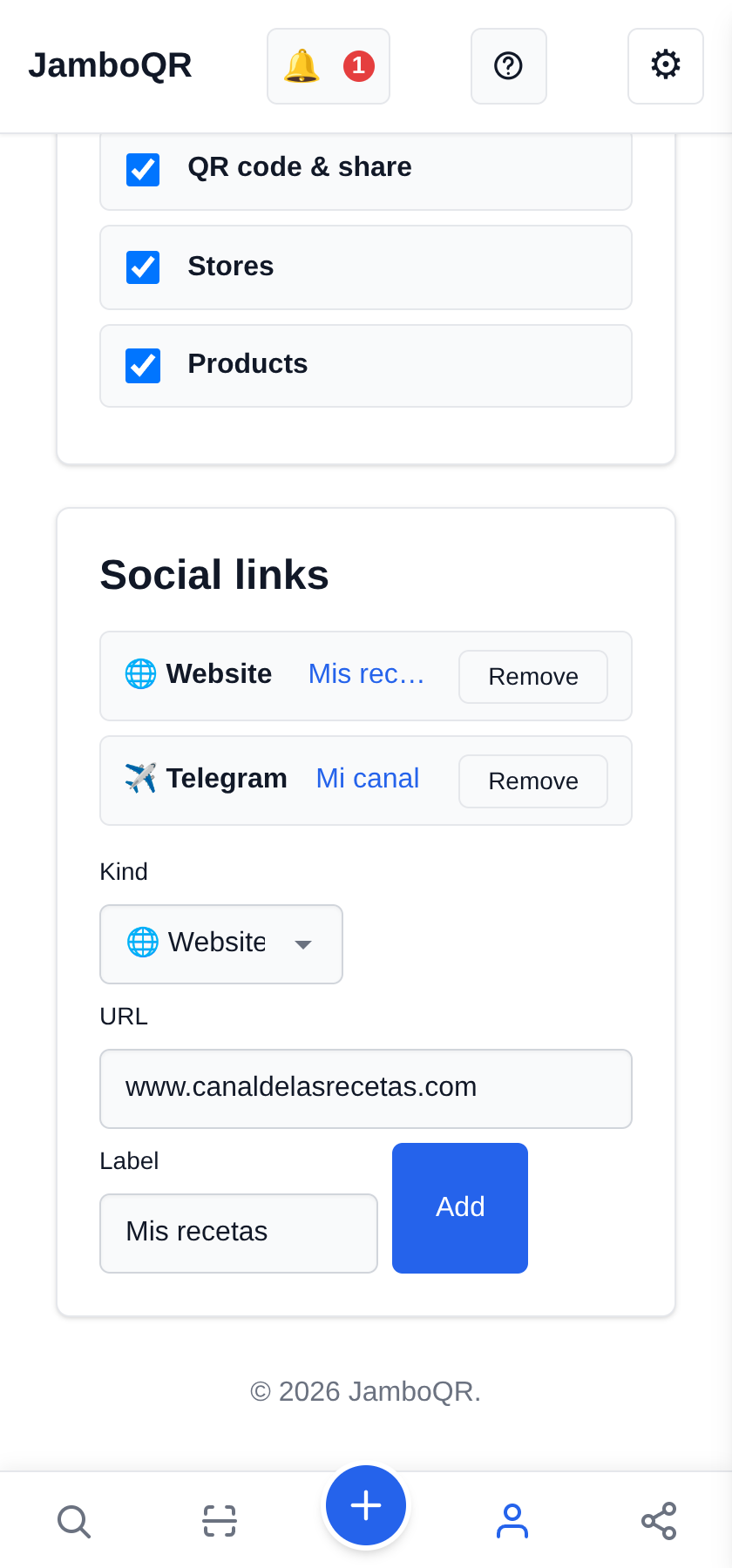
2 Add your website
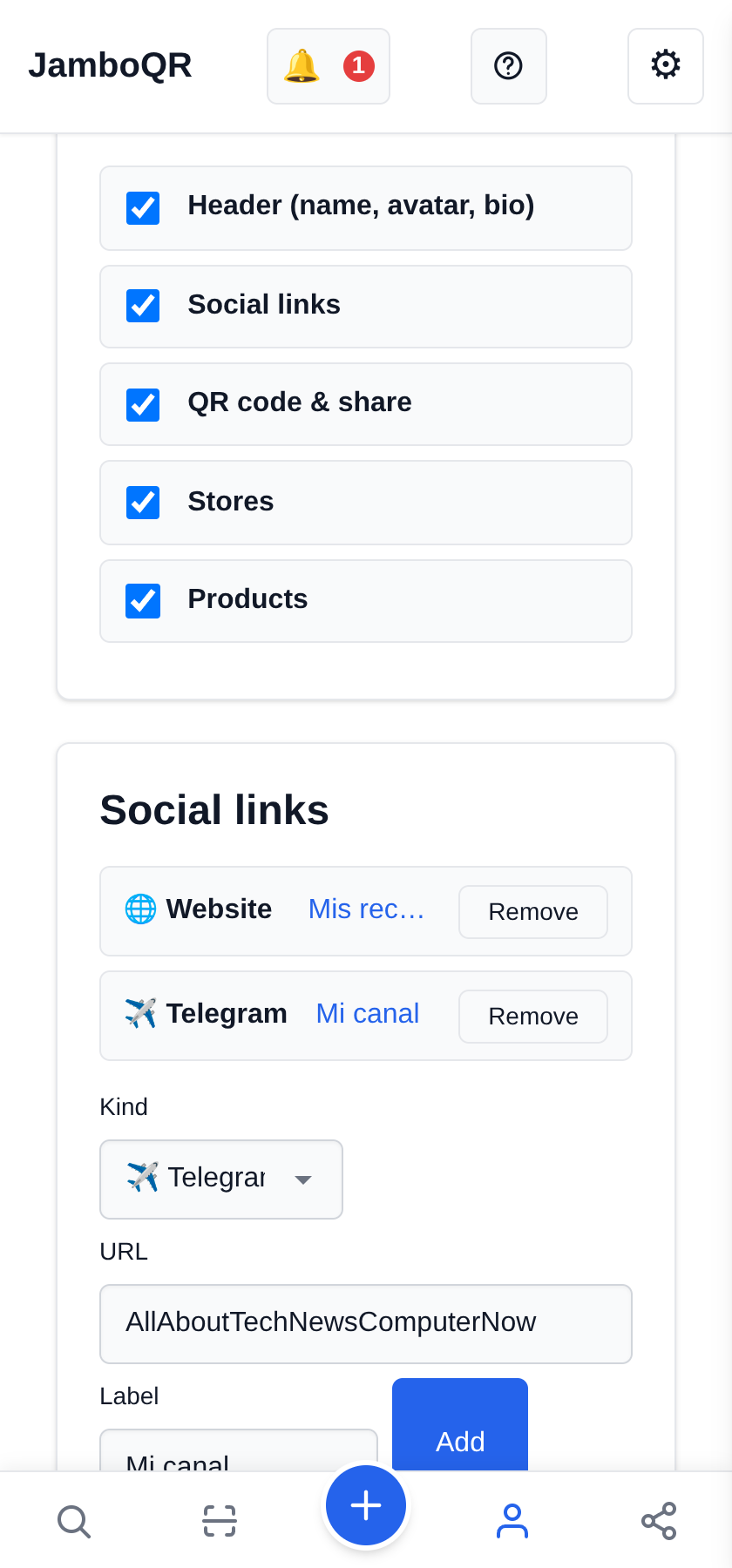
Under Social links, pick the Kind (here, Website), paste the URL, and give it a Label if you want it to say something better than "Website" — "My recipes", say. Then Add.
You do not have to type `https://`: put in `www.canaldelasrecetas.com` and the rest is filled in for you.
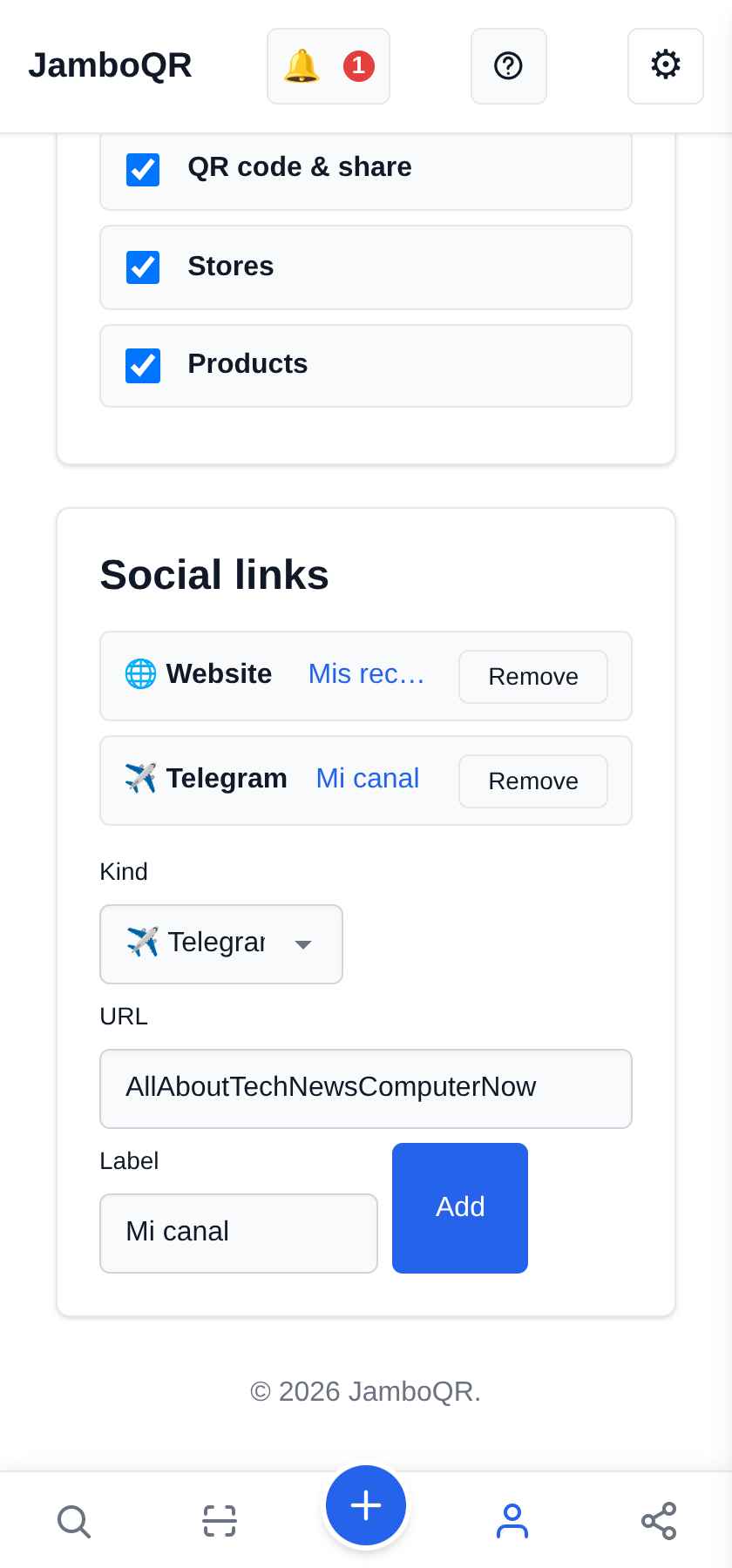
3 Add your Telegram channel (the handle, not the address)
Pick Telegram and watch the field change: it asks for @username, not the whole address. Type `AllAboutTechNewsComputerNow` and you are done.
This is the common mistake: pasting the full `https://t.me/…` leaves a doubled link that looks right and goes nowhere. Same with WhatsApp, which asks for the number.
4 Decide what shows
Under Profile sections you switch each part on and off: the header, your Social links, your Stores, your Products, and the QR code & share block.
If all you want is a page of links, switch products and stores off. Changes apply the next time someone opens your profile.
5 Make it public, then share it
At the top is Make my profile public. While it is off your address returns a 404 and the QR does not work — as far as anyone else is concerned, your profile does not exist.
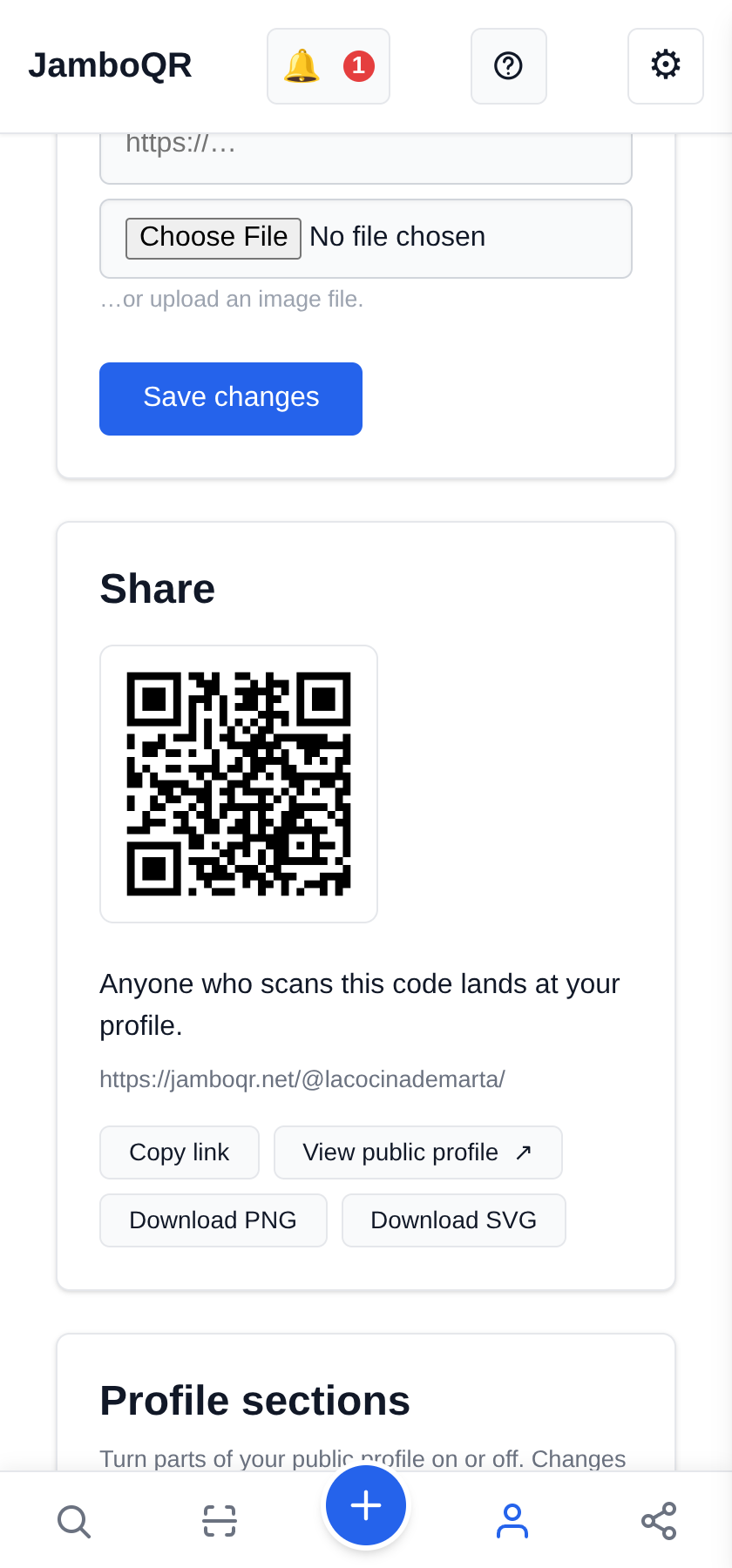
Switched on, the Share block appears with your link, Copy link, Download PNG of the QR, and View public profile so you can look at it the way a visitor does.
6 This is what a visitor sees
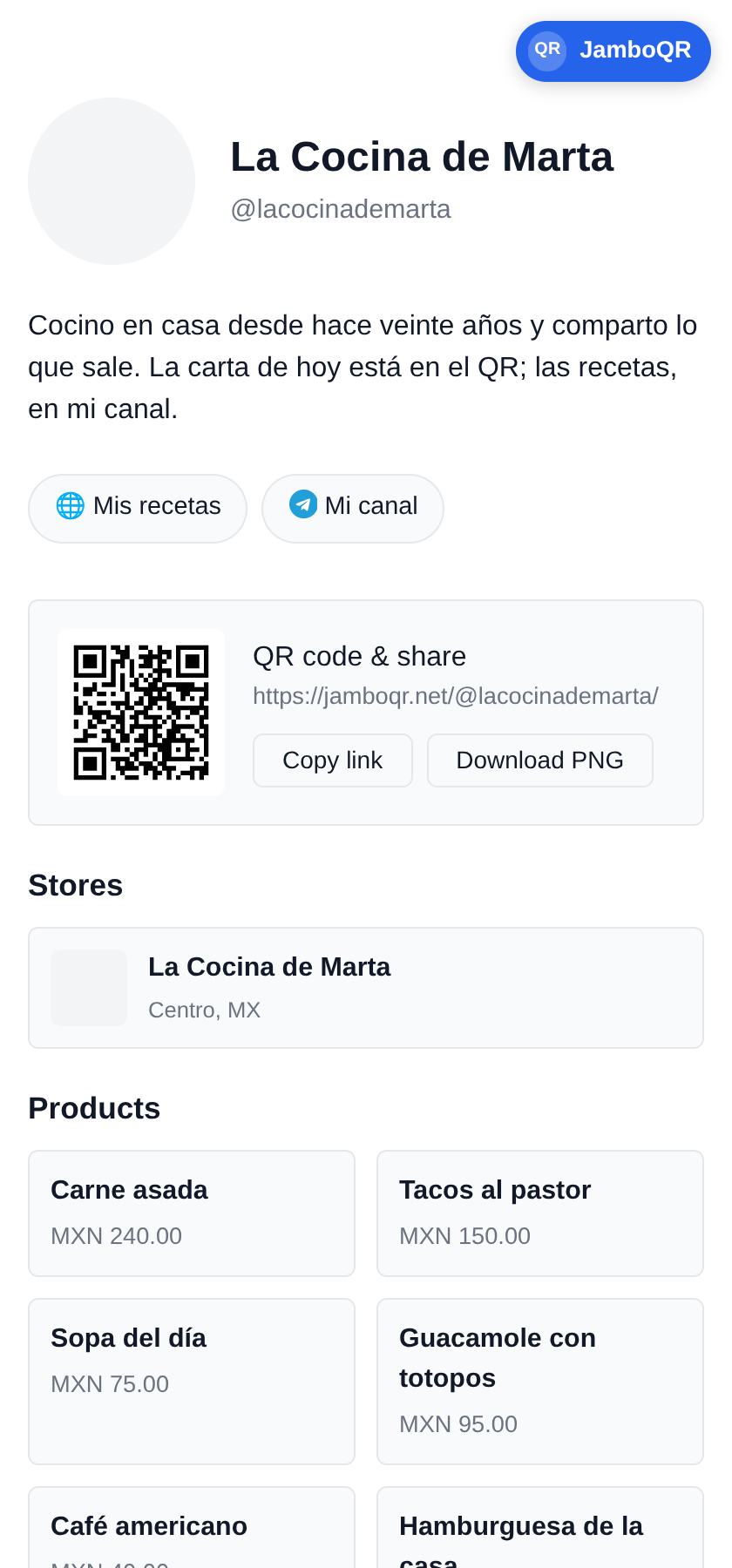
Your name, your bio, your links as buttons and — if you left them on — your products and your stores, with the QR at the end.
It opens with nothing to install, in the language of whoever opens it. That QR goes on the card, on the box, on the banner over the stall: it leads to all of you, not to one thing.
What to know
- Your address is `jamboqr.net/@yourname`. It does not expire and it does not change when your store, your prices or your city do.
- Telegram and WhatsApp are stored as a handle and a number, not as an address: the link is assembled when the page is drawn.
- A profile starts PRIVATE. Until you switch it on, neither the link nor the QR works — that is deliberate.
- Every section switches off on its own: you can have links only, or store only, without deleting anything.
- The page is rendered on the server: it opens instantly, with nothing to install, in the visitor's language.
- It is free, and it uses the same account as your stores.
✈️ Telegram · @JamboQR · 𝕏 @jamboqrmx · Facebook · JamboQR · Instagram · @jamboqr